Feature news

Touchwiz 5 Galaxy Mini

Hey Brad. lama ngga post nih.
nih langsung aj post buat si mini. ga ada problem ato bugs satupun
ditambah swap 128, makin mantap kaya galaxy s-3

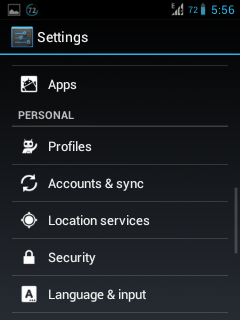
ss
  
  
CHANGE LOG - V5
  • Based on latest nightly 27/01
  • themed removed
  • themed quick toggle icons
  • themed dialer png's
  • statusbar clock changed to white
  • in-call dialer png's changed
  • call end button changed
  • settings background changed
  • adrenaline engine continued
  • Galaxy S3 rosemary fonts
  • battery themed
  • notification drawer panel themed
  • quick toggle swap button themed
  • power menu icons themed
  • contacts preview picture themed
  • statusbar icons themed
  • green overscroll animation like real touchwiz nature
  • notification toggle improvements
  • navbar dimensions changed
  • option tickers changed
  • data graph background in settings fixed
  • loading icons changed
  • new S3 dandellion default wallpaper
  • stable and smooth
  • great battery life


EASY TUTORIAL TO FLASH CUSTOM ROM WITH ADDITIONAL PACKAGE - 
Disclaimer Do It At Your Own Risk!
  1. Copy the downloaded files to the (Root directory of) your sd-card.
  2. Reboot your device to Custom Revovery (1.CWM Recovery 2. RZ Recovery ).
  3. [Optional] Do a Nandroid Backup Of Your Current ROM.
  4. Now from recovery main menu and select Wipe Data option.
  5. Confirm data wipe by selecting Yes.
  6. How To flash Custom Rom & Google Apps using Custom Recovery ?
  7. Follow Below Step-
  8. Now Go Back & Select Wipe cache.
  9. Then wipe dalvik cache.
  10. Reboot and enjoy! 
Learn more »

New CM9 and CM10

maaf lama gag posting disini saya akan berbagi Cyanogen Mod buat galaxy mini/pop. langsung aj ya...

Cyanogenmod 9 ( stable – 27/10/2012 ) for Galaxy Mini/Pop GT-S5570

It has been about a month since an update to the CM9 version of our galaxy mini is given and now its finally out.Mind you there were CM9.1 releases and CM10 releases but Cm9 has come back almost completely stable and fully working.There are a few major changes in the camera quality that was really needed.So, here is the changelog ,screenshots that are provided above and flashing instructions!
Changelog
> CyanogenMod 9 ( stable – 27/10/2012 ~ 7pm GMT+3 )
* Fixed data graph background (with a little “hack”, thanks to ic92 for pointing out where the problem is)
* Fixed network location (no other modifications required)
* Fixed issue that Google location services prevented device from entering deep sleep
* New camera HAL based on Wayland’s and arco’s work ( thanks!  )
* Fixed camera settings (like exposure, effects)
* Camera is more colorful now
* Updated file manager
Installation Process
Disclaimer : Do It At Your Own Risk!
  1. Download required files and updates from below :
  1. Copy the downloaded files to the (Root directory of) your sd-card.
  2. Reboot your device to Custom Revovery (Press Home + Power Button).
  3. [Optional but, Recommended] Do a Nandroid Backup of your current ROM.
  4. Now from recovery main menu and select Wipe Data option.
  5. Confirm data wipe by selecting Yes.
  6. Now flash this ICS based rom using clockwork mod recovery. Follow these steps :
    • Choose Install Zip From Sd Card option.
    • Select Choose Zip From SD Card option.
    • Now select cm-9-20121027-UNOFFICIAL-tass.zip downloaded earlier.
    • Confirm the installation and wait till the rom is installed on you handset.
  7. Flash Latest Google apps for ICS in CWM recovery.
    • Choose Install Zip From Sd Card option.
  8. Select Choose Zip From SD Card and the nightly is installed on you handset.
  9. Reboot and enjoy!
Watch this awesome video of latest CM9 being run on galaxy mini

CyanogenMod 10 (nightly – 20/10/2012) for Galaxy Mini/Pop GT-S5570

Jellybean on our mini is really nearing perfection now and the last couple of builds really do suggest it.This one does not have any major changes but are there any left really?So, here is the changelog, screenies and the flashing instructions.
> CyanogenMod 10 ( nightly – 14/10/2012 ~ 4pm GMT+3 )Previous nightly
* Fixed data graph background (with a little “hack”, thanks to ic92 for pointing out where the problem is)
* Fixed network location (no other modifications required)
* Fixed issue that Google location services prevented device from entering deep sleep
* Improved CRT animation performance
* Fixed calendar and weather layouts on lock screen (thanks to mr.faridcom)
> CyanogenMod 10 ( nightly – 20/10/2012 ~ 4pm GMT+3 )latest
* Improved UI performance (some additions in kernel)
* Improved battery usage data accuracy
* Removed some things to save some space on /system (system size: ~153MB)
 Installation Process
Disclaimer : Do It At Your Own Risk!
  1. Download required files and updates from below :
  • Unofficial   CyanogenMod 10 nightly  from here.
  • Latest Google apps for JellyBean.
  1. Copy the downloaded files to the (Root directory of) your sd-card.
  2. Reboot your device to Custom Revovery (Press Home + Power Button).
  3. [Optional but, Recommended] Do a Nandroid Backup of your current ROM.
  4. Now from recovery main menu and select Wipe Data option.
  5. Confirm data wipe by selecting Yes.
  6. Now flash this android 4.1.1 jellybean based cyanogenmod 10 rom using clockwork mod recovery. Follow these steps :
    • Choose Install Zip From Sd Card option.
    • Select Choose Zip From SD Card option.
    • Now select ROM downloaded earlier.
    • Confirm the installation and wait till the rom is installed on you handset.
  7. Flash Latest Google apps  for JB in CWM recovery.This one has working Google Now and voice search!
    • Choose Install Zip From Sd Card option.
  8. Select Choose Zip From SD Card and the nightly is installed on you handset.
  9. Reboot and enjoy!


untuk yang lainnya anda bisa kunjungi techgeekal.wordpress.com - www.techgeekal.com - jellaxy.com
thank.
salam ANDROIDZER
Learn more »

Kumpulan Custom ROM GALAXY MINI

Nih buat temen temen yang punya HH SAMSUNG GALAXY MINI. ni saya punya beberapa Custom ROM buat Si GALMIN...

iCustom DXKT6
    ScreenShot  : ScreenShot
    Download    : Mediafire
    Buging         : Semua Berjalan Baik

MORE v1.3 by Godell
    ScreenShot  : ScreenShot
    Download    : Mediafire
    Buging         : Semua Berjalan Baik

Razr UI V6
    ScreenShot  : ScreenShot
    Download    : Mediafire
    Buging         : Semua Berjalan Baik

MIUI Gingerbread
    ScreenShot  : ScreenShot
    Download    : Mediafire
    Buging         : - Launcher sering force close
                         - Tethering wifi n USB ga jalan


Cara Installasinya cukup lewat CWM
-wipe cache partition
-wipe data/cache
-install .zip from sdcard
-chose zip from sdcard
-pilih file zip yang kamu simpan
-reboot system now
Learn more »

Mobile9 Market

Buat para sobat yang mau download aplikasi dari gallery.mobile9.com tanpa ribet. ni ada aplikasi agar lebih cepat dan praktis buat Android
Mobile9 market

nih link downloadnya : Download here

Learn more »

3G WatchDog

Buat temen-temen yang takut kelebihan paket data(KUOTA) pada Android kalian ni ada aplikasi buat cek & rencanain penggunaan internet kita
3G WatchDog PRO

nih link downloadnya : Download Here
Learn more »

Camera Zoom FX Android

Oke pelanggan setia. tanpa basa-basi, ni gw kasih link download Camera Zoom FX buat android yang bikin kamera loe tambah cemerlang dan pastinya bisa langsung diedit...
CAMERA ZOOM

ni link nya:


Learn more »